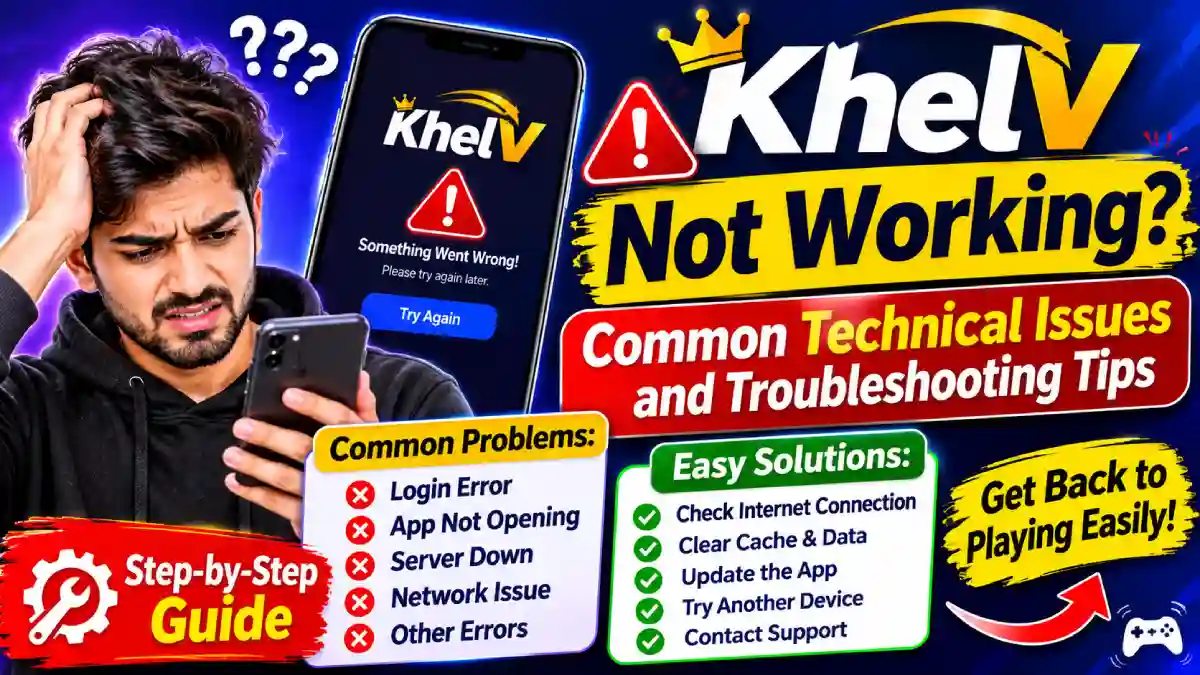
KhelV Not Working? Common Technical Issues and Troubleshooting Tips
Sometimes, users may experience technical difficulties while accessing an online gaming platform. The website may not open, the app may stop responding, or a page may continue loading without displaying the expected information. These situations can be frustrating, especially when users are unfamiliar with the possible causes.
If you are experiencing a KhelV Not Working issue, the first step is to identify whether the problem is related to your internet connection, browser, device, application, or the platform itself. Not every error requires advanced technical knowledge, and some basic checks may help resolve temporary access problems.
This guide explains common technical issues users may encounter while accessing KhelV, along with practical troubleshooting steps and important security precautions.
1. KhelV Website Is Not Opening
One common issue is that the KhelV website does not open when users enter its address in a browser. The page may display an error message, remain blank, or fail to load completely.
Possible reasons:
- Temporary internet connectivity problems.
- Incorrect or outdated website address.
- Browser-related errors.
- Temporary server maintenance or downtime.
- Network restrictions.
Possible solutions:
- Check whether other websites are opening normally.
- Recheck the website address for typing mistakes.
- Refresh the page after a short interval.
- Try accessing the website using another updated browser.
- Check whether the platform has announced maintenance or service interruptions.
If the website remains unavailable, avoid repeatedly entering account details on unfamiliar alternative links.
2. KhelV App Not Working Properly
Sometimes, an installed application may freeze, close unexpectedly, or stop responding. This can happen because of outdated software, insufficient device storage, compatibility problems, or temporary application errors.
Troubleshooting tips:
- Restart your Android device.
- Close unnecessary background applications.
- Check whether your device has sufficient free storage.
- Make sure your operating system is updated.
- Check whether a newer application version is available from a source you can independently verify.
If the application was installed through an APK file, be especially careful about downloading replacement files from unknown websites. A file labelled as an update is not necessarily authentic or safe.
3. KhelV Login Error
A login error can prevent users from accessing their accounts. The issue may appear after entering a phone number, email address, password, or verification code.
Common causes include:
- Incorrect login credentials.
- Typing mistakes or extra spaces.
- Temporary verification delays.
- An expired login session.
- Browser or application problems.
- Temporary account restrictions.
What you can try:
- Carefully check the login information you entered.
- Confirm that the correct login method is selected.
- Check your internet connection.
- Refresh the login page or restart the application.
- If a password recovery option is available, follow the platform’s official recovery process.
For more detailed guidance, read our article on KhelV Login Problems and Their Solutions, which discusses common account access errors and possible troubleshooting steps.
4. KhelV Page Keeps Loading
Another possible issue is a page that continues loading without showing its content. This may happen because of a slow connection, browser cache problems, temporary server issues, or an overloaded device.
Try these steps:
- Switch between Wi-Fi and mobile data to test your connection.
- Close unnecessary browser tabs.
- Clear the browser cache.
- Restart the browser.
- Try again after a few minutes.
Remember that clearing browser data may sign you out of websites, so make sure you have access to your account recovery details before doing so.
5. KhelV OTP or Verification Code Not Received
Some account activities may require verification through a one-time password (OTP). If the code does not arrive, users may be unable to complete the requested process.
Possible reasons:
- Weak mobile network coverage.
- Incorrect phone number.
- Delayed SMS delivery.
- Temporary service interruptions.
- SMS filtering or blocking settings.
Possible solutions:
- Verify that the entered mobile number is correct.
- Check your phone’s network signal.
- Review the spam or blocked messages folder.
- Wait briefly before requesting another code.
- Avoid repeated requests within a short period.
Never share an OTP with another person, even if they claim to be a platform representative or customer support agent.
6. KhelV App Crashing or Closing Automatically
An application that suddenly closes may be affected by device compatibility, insufficient memory, corrupted temporary data, or software conflicts.
You can try the following basic checks:
- Restart your phone.
- Close unused applications.
- Check available storage.
- Update your device software where appropriate.
- Clear the app cache through Android settings, if available.
Avoid immediately uninstalling the application if you are unsure whether you can safely reinstall it or recover your account. First, check whether your login and recovery information is available.
7. KhelV Payment or Transaction Page Not Responding
A transaction page may sometimes become unresponsive or display an incomplete status. This does not automatically mean that a payment has failed or succeeded.
What should users do?
- Avoid submitting the same transaction repeatedly.
- Check the transaction history, if available.
- Review the relevant bank, UPI, or payment service record.
- Save the transaction reference number and any confirmation message.
- Contact the relevant payment provider or verified platform support channel if the status remains unclear.
Do not share your UPI PIN, banking password, card security code, or OTP with anyone claiming to resolve a transaction issue.
For additional information about transaction requirements, you can read our guide to KhelV Deposit and Payment Requirements.
8. Browser Compatibility Problems
An outdated or incompatible browser can sometimes prevent websites from displaying correctly. Buttons may not respond, pages may appear incomplete, or certain functions may not work as expected.
Practical troubleshooting steps:
- Update your browser to its latest available version.
- Enable JavaScript if the website requires it.
- Temporarily disable browser extensions that may interfere with page functionality.
- Try another reputable browser.
- Check whether the issue occurs in a private browsing window.
If the website works in another browser, the problem may be related to your original browser settings or stored data.
9. Is KhelV Temporarily Down?
Not every technical issue originates from a user’s device. Sometimes, a website or online service may experience temporary downtime because of maintenance, server interruptions, or technical updates.
If you have checked your internet connection and browser but still cannot access the platform, the problem may be on the service side.
How to respond:
- Wait for some time before trying again.
- Check verified platform announcements, if available.
- Avoid downloading unofficial replacement applications.
- Do not trust messages promising guaranteed access through unknown links.
- Try again once the service appears to be available.
Users should remember that an unavailable website does not automatically mean their account has been deleted or permanently restricted.
10. Important Safety Checks While Troubleshooting KhelV
When trying to resolve a technical problem, users should also protect their personal and account information.
Keep these precautions in mind:
- Use only website addresses or application sources that you can independently verify.
- Avoid APK files shared through unknown messages or social media accounts.
- Never share passwords, OTPs, or payment credentials.
- Do not install applications that request unnecessary permissions.
- Avoid using public devices for sensitive account activities.
- Do not trust anyone promising guaranteed withdrawals or account recovery.
- Review transaction information before attempting another payment.
Technical troubleshooting should never require users to disclose confidential banking or login information to an unknown person.
Frequently Asked Questions (FAQs)
Why is KhelV not working today?
KhelV may not work because of internet problems, browser errors, application compatibility issues, server maintenance, or temporary service interruptions. Check your connection and try accessing the platform again later.
What should I do if the KhelV website is not opening?
Check the website address, refresh the page, test your internet connection, and try another updated browser. If the problem continues, the service may be temporarily unavailable.
Why does the KhelV app keep crashing?
Possible reasons include insufficient storage, outdated software, device compatibility problems, or temporary application errors. Restarting your device and checking available storage may help.
Why am I unable to log in to KhelV?
Incorrect credentials, verification delays, expired sessions, and temporary account restrictions can cause login problems. Check your login details and use the available official recovery process.
What should I do if a KhelV transaction is pending?
Check your transaction history and payment provider’s records before taking further action. Avoid repeating the transaction until you understand its current status.
What should I do if a KhelV transaction is pending?
Check your transaction history and payment provider’s records before taking further action. Avoid repeating the transaction until you understand its current status.
Is it safe to download another KhelV APK if the app stops working?
Only consider an APK from a source whose authenticity and safety you can independently verify. Avoid unknown download links, modified applications, and files shared through unsolicited messages.
How can I contact KhelV support if the problem continues?
Look for a verified support option through the platform’s accessible official channels, if available. Never share your password, OTP, or banking credentials with someone claiming to provide assistance.